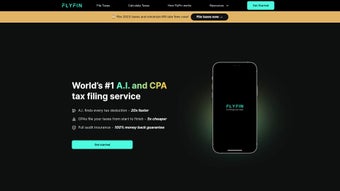

Download FlyFin Tax – AI‑Powered Tax Deduction Tool for Freelancers
Overview
FlyFin Tax is an AI‑driven tax service built specifically for self‑employed professionals, freelancers, and gig‑economy workers. By leveraging sophisticated machine‑learning algorithms, FlyFin automatically scans every expense you upload—whether it’s a coffee receipt, a software subscription, or a home‑office utility bill—to surface hidden deductions that many traditional tax software miss. The platform is backed by a team of certified public accountants (CPAs) who collectively hold more than 250 years of tax experience, ensuring that every AI‑suggested deduction is vetted for compliance and accuracy. Over 100,000 freelancers already trust FlyFin to simplify their tax filing, reduce audit risk, and maximize refunds.
What truly distinguishes FlyFin from generic tax apps is the seamless blend of automation and human expertise. After you sign up securely, the AI engine begins parsing your uploaded expenses, categorizing them, and flagging potential write‑offs in real time. You can then review each suggestion, ask follow‑up questions, and receive instant CPA feedback—often within minutes—through an integrated chat interface.
The service offers three pricing tiers, including a risk‑free seven‑day trial, a Premium plan that handles end‑to‑end filing, and an “Unlimited CPA” option for those who need ongoing advice throughout the year. Whether you’re a solo developer, a creative consultant, or a rideshare driver, FlyFin aims to turn tax time from a dreaded chore into a data‑driven opportunity for savings. The user‑friendly dashboard, responsive support, and transparent pricing combine to create a compelling value proposition for anyone who wants to stay on top of their finances without becoming a tax expert.
Key Features & Pricing Plans
- AI‑Powered Deduction Finder – Scans receipts, bank statements, and credit‑card transactions to identify eligible write‑offs.
- Quarterly Tax Calculator – Provides accurate, real‑time estimates of quarterly tax obligations based on your income flow.
- Automated Expense Tracking – Syncs with popular accounting tools (QuickBooks, Xero) and bank feeds to import expenses automatically.
- 24/7 CPA Support – Human accountants review AI suggestions and answer tax‑related questions instantly via chat.
- Secure Data Encryption – End‑to‑end encryption ensures your financial documents remain private and compliant with GDPR and CCPA.
- Unlimited Revision – Edit, add, or remove expenses at any time before filing; AI continuously learns from your inputs.
- Multi‑Year Archive – Store past years’ tax data securely for easy reference and audit preparation.
In‑Depth Look at Core Features
The AI‑Powered Deduction Finder is the heart of FlyFin. It uses natural‑language processing to read handwritten receipts and OCR to extract digital data, then matches each line item against an extensive database of IRS‑approved deduction categories. This results in a confidence score for every suggestion, allowing you to prioritize high‑impact write‑offs. The Quarterly Tax Calculator works in tandem with the deduction engine, continuously updating your projected tax liability as new expenses are added, which helps you avoid under‑payment penalties and stay cash‑flow positive throughout the year.
Automation extends to expense tracking. By connecting your bank accounts, PayPal, Stripe, or accounting software, FlyFin pulls transactions in real time, eliminating manual data entry. When a transaction lacks a receipt, the AI assigns a probable category based on merchant information and past user behavior, which you can later verify. The 24/7 CPA Support layer adds a human safety net: every AI recommendation is reviewed by a licensed CPA who can confirm, reject, or refine the deduction, ensuring compliance with the latest tax regulations.
Security is non‑negotiable. FlyFin employs AES‑256 encryption for data at rest and TLS 1.3 for data in transit, while also offering optional two‑factor authentication (2FA) to protect account access. All data storage complies with GDPR, CCPA, and IRS standards, and the platform undergoes regular third‑party security audits.
Pricing Tiers
FlyFin offers a transparent, tiered pricing model designed to fit freelancers at different stages of their business. Each tier includes a 7‑day free trial with full access to the AI engine and CPA chat, so you can evaluate the service risk‑free before committing.
- Free Trial (7 days) – Full access to AI deduction engine, expense upload, and CPA chat. No credit card required.
- Premium Plan – $39 / month – Includes end‑to‑end federal tax filing, unlimited CPA advice, quarterly tax calculations, and priority support. Ideal for solo freelancers who want a hands‑off filing experience.
- Unlimited CPA Plan – $79 / month – Adds year‑round CPA consultation, priority response times, multi‑state filing support, and a dedicated account manager. Perfect for high‑earning freelancers, contractors with multiple income streams, or anyone needing ongoing tax strategy.
All plans are billed annually with a discount of up to 15 % for prepaid subscriptions. FlyFin also offers a 30‑day money‑back guarantee on the Premium and Unlimited CPA plans, reinforcing confidence in its AI accuracy and CPA expertise. For users who prefer month‑to‑month flexibility, the same rates apply with a small processing fee, but the annual commitment remains the most cost‑effective option.
Installation, Setup & Compatibility
Getting started with FlyFin is intentionally straightforward. Because the service is cloud‑based, there is no heavy software download required; you simply create an account on the FlyFin website and access the dashboard through any modern web browser. However, for users who prefer a native experience, FlyFin also offers dedicated apps for Windows, macOS, Android, and iOS, each optimized for speed and security.
Step‑by‑Step Installation
- Create an Account – Visit flyfin.com, click “Sign Up,” and enter your email address. A verification link will be sent to confirm your identity.
- Secure Login – Set a strong password and enable two‑factor authentication (2FA) for added protection.
- Connect Financial Sources – Use the “Add Account” wizard to link your bank, credit cards, PayPal, or accounting software. FlyFin’s API pulls transaction data automatically, eliminating manual receipt entry.
- Upload Receipts – Drag‑and‑drop PDFs, photos, or CSV files into the “Expenses” tab. The AI engine begins parsing within seconds, assigning categories and confidence scores.
- Review Deductions – The “AI Suggestions” pane lists potential write‑offs with confidence scores. Click any item to chat with a CPA for clarification, request supporting documentation, or approve the deduction.
- File Taxes – When you’re ready, select “File Tax Return” and follow the guided questionnaire. FlyFin prepares the necessary forms (1040‑SE, Schedule C, etc.) and submits them electronically to the IRS and, if applicable, state tax agencies.
- Maintain & Update – Throughout the year, continue uploading new receipts and linking fresh accounts. The AI learns from each interaction, improving accuracy and suggesting additional deductions you may have missed.
System Requirements
FlyFin’s web platform runs on any operating system with a modern browser (Chrome, Edge, Firefox, Safari) and a stable internet connection. Native apps have the following minimum specifications:
- Windows – Windows 10 (64‑bit) or later; 2 GB RAM; 200 MB free disk space.
- macOS – macOS 11 (Big Sur) or later; 2 GB RAM; 200 MB free disk space.
- Android – Android 8.0 (Oreo) or newer; 1 GB RAM; 100 MB storage.
- iOS – iOS 13 or later; 1 GB RAM; 100 MB storage.
Because all processing occurs in the cloud, performance is not limited by local hardware. Users with slower internet connections may experience a brief delay when uploading large batches of receipts, but the AI analysis runs swiftly once data reaches FlyFin’s servers. The native apps also support offline receipt capture, allowing you to take photos of receipts on the go; these images sync automatically when the device reconnects to the internet.
Pros & Cons
Pros
- AI automatically discovers deductions that many freelancers overlook.
- 24/7 access to seasoned CPAs who validate AI findings and answer complex questions.
- Integrated quarterly tax calculator helps avoid under‑payment penalties.
- Secure, encrypted data handling with GDPR and CCPA compliance.
- Multi‑platform availability (web, Windows, macOS, Android, iOS).
- Transparent pricing and a risk‑free seven‑day trial.
- Unlimited receipt uploads and multi‑year archiving for audit readiness.
Cons
- Full‑service filing is only available on the paid Premium and Unlimited CPA plans.
- AI suggestions may require manual verification for niche deductions (e.g., home‑studio depreciation).
- While the app is lightweight, users on very low‑bandwidth connections might experience slower upload times.
- No built‑in investment tax handling; users with significant capital gains need separate solutions.
- Limited offline functionality—requires internet for AI analysis and CPA chat.
- Higher‑tier plans can become costly for freelancers with very tight budgets.
Overall, FlyFin strikes a strong balance between automation and professional oversight. The AI engine provides a powerful first line of defense against missed deductions, while the CPA layer ensures compliance and adds a human touch that pure‑software solutions lack. For freelancers who prioritize convenience, data security, and proactive tax planning, the benefits generally outweigh the few limitations noted above.
Frequently Asked Questions
How does FlyFin protect my financial data?
FlyFin uses end‑to‑end AES‑256 encryption for all data in transit and at rest. Your login credentials are salted and hashed, and two‑factor authentication is optional for an extra security layer. The platform complies with GDPR, CCPA, and IRS data‑security standards, ensuring your personal and financial information remains private.
Can FlyFin handle multi‑state tax filings?
Yes. The Unlimited CPA plan includes multi‑state filing support. FlyFin’s AI automatically identifies income sourced from different states and prompts you to provide the necessary state‑specific information. A CPA then reviews the state returns before electronic submission.
Is there a limit to how many expenses I can upload?
No. All plans—free trial included—offer unlimited expense uploads. The AI processes each entry individually, so you can upload years’ worth of receipts without hitting a cap.
What happens if I miss a deduction that FlyFin didn’t suggest?
FlyFin’s CPAs review every AI recommendation, but the platform also encourages users to add manual entries for unique deductions. If a missed deduction is discovered later, you can amend your return through FlyFin’s “Amend” feature within the IRS’s allowable window.
How does the quarterly tax calculator work?
The calculator pulls real‑time income data from your linked accounts, applies the latest IRS estimated‑tax rates, and accounts for any deductions already identified by the AI. It then provides a projected quarterly payment amount, which you can pay directly through the FlyFin dashboard or export to your bank.
Conclusion & Call to Action
FlyFin Tax delivers a compelling mix of artificial intelligence and professional CPA oversight, making it one of the most complete tax solutions for freelancers and gig workers today. Its ability to automatically surface hidden deductions, combined with a real‑time quarterly tax calculator and 24/7 expert support, turns a traditionally stressful process into a data‑driven, confidence‑boosting experience. While the free trial offers a risk‑free way to test the platform, serious freelancers will likely find the Premium or Unlimited CPA plans essential for full‑service filing and year‑round tax strategy.
If you’re ready to maximize your tax savings, protect your financial data, and eliminate the guesswork of quarterly payments, download FlyFin Tax now and start your 7‑day free trial. Let AI and seasoned accountants work together for your bottom line.



.png)



